
SPF check: is your SPF record valid and under the 10-lookup limit?
How does this check work, and what does the result tell you?
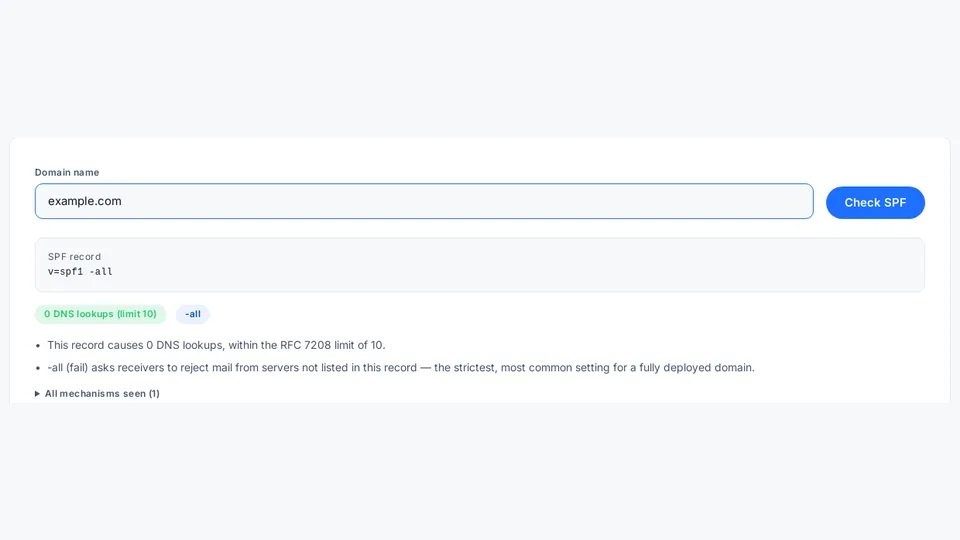
Yes, free and with no account: AdminKit parses your domain's SPF record, follows every include, a, mx, ptr, exists and redirect mechanism through nested includes, counts the DNS lookups against the RFC 7208 limit of 10, and explains the strength of the trailing "all" mechanism, so a silently failing record stops costing you delivered mail.
Part of the Email authentication cluster — more tools, guides and terms on email authentication.
AI explanation Run a check below, then sign in to ask AI to explain the result in plain language.
Keep this result
Copy a link to this check so you can share it or run it again later. Want a heads-up when this result changes? Talk to our team and we'll set it up for you.
How it works and limits
This tool parses your domain’s SPF (Sender Policy Framework) TXT record with AdminKit’s own code — no third-party
mail-auth library — following every include, a, mx, ptr, exists and redirect term it finds, including
through nested includes, to count how many DNS lookups evaluating the record actually costs.
If your domain has no SPF record yet, or you want to draft one before publishing, AdminKit’s SPF record generator assembles the TXT record string in your browser.
Why the lookup count matters
RFC 7208 caps SPF evaluation at 10 DNS lookups
(§4.6.4, “DNS Lookup Limits”) specifically to bound the
cost of checking a single record. A record that exceeds the limit is treated by receivers as a permanent error
(“permerror”) — mail authentication effectively stops working for the whole domain, often silently, until someone
notices deliverability dropping. Common causes are stacking too many third-party mail-sending services (include:)
without consolidating them.
Reading the “all” mechanism
The trailing all term decides what happens to mail that matches nothing else in the record:
-all— fail: reject mail that doesn’t match.~all— softfail: flag it as suspicious, but don’t reject outright.?all— neutral: no real effect.+all— pass: anyone can send as this domain, almost always a mistake.
No all term at all behaves like ?all.
-all, ~all, ?all and +all only describe the trailing mechanism, not the full set of outcomes a check can
return — see what an SPF check result actually means for all seven
possible results, including PermError and TempError.
Limits
- This checks syntax and lookup count, not whether a specific sending IP would pass or fail — that depends on the
full mechanism list and is better observed from real delivery reports (DMARC
rua, defined in RFC 9990). - No query is logged; see /legal/privacy/.
- This resolves your domain’s live record over DNS. To check a record’s syntax and lookup-causing term count from text alone — before it’s published, or one copied from a vendor’s setup docs — use the offline SPF validator instead; it never performs a DNS lookup.
SPF is only one of three records that work together for mail authentication — see SPF, DKIM and DMARC explained for how it combines with DKIM and DMARC.
If a specific message already failed and you want to see what the receiving server itself reported, rather than re-checking your live DNS record, AdminKit’s email header analyzer reads that message’s raw Received chain and Authentication-Results header directly, entirely in your browser.
If this check comes back with a permerror for too many DNS lookups, see
fixing SPF “too many DNS lookups” (PermError) for what triggers the RFC 7208
10-lookup limit and how to flatten it. RFC 7208 also caps a related but separate count — void lookups,
DNS queries that come back empty or NXDOMAIN — at 2, tracked apart from the 10-lookup total. See also the glossary entry for SPF, and how AdminKit’s free
checker compares to other options in the free SPF/DMARC checker roundup.
Frequently asked questions
Why does SPF have a 10-lookup limit?
10 is the hard cap: RFC 7208 states that "SPF implementations MUST limit the total number of those terms to 10 during SPF evaluation" (RFC 7208 §4.6.4), bounding the cost of evaluating a single record regardless of how many mail services a domain uses.
What does ~all vs -all mean?
-all (Fail) is the stricter of the two: RFC 7208 defines it as "an explicit statement that the client is not authorized to use the domain" (RFC 7208 §4.6.2), while ~all (SoftFail) is only "a weak statement by the publishing ADMD that the host is probably not authorized." Four qualifiers exist in total (+, -, ~, ?); -all rejects, ~all flags.
Which mechanisms count toward the 10-lookup limit?
Six mechanism types count toward RFC 7208's 10-lookup cap (RFC 7208 §4.6.4): include, a, mx, ptr, exists and redirect, each costing at least one DNS lookup, with include/redirect able to nest further lookups inside the record they point to. ip4, ip6 and all cost nothing, since none requires a DNS query to evaluate.
Can a domain have more than one SPF record?
No — RFC 7208 treats more than one SPF-type TXT record on the same name as a permanent error: "If the resultant record set includes more than one record, check_host() produces the 'permerror' result" (RFC 7208 §4.5), the same failure mode as exceeding the lookup limit. A domain should publish exactly one SPF record.